Key Features
GPT Image 2 is OpenAI's image generation model, released in April 2026 as the successor to GPT Image 1. Its defining trait is a reasoning step: before it renders, the model plans the composition, checks object counts, and verifies the constraints in your prompt — which is why it follows complex instructions closely and renders on-image text with unusual precision. It generates from a text prompt or edits your own uploads, with output up to 4K.
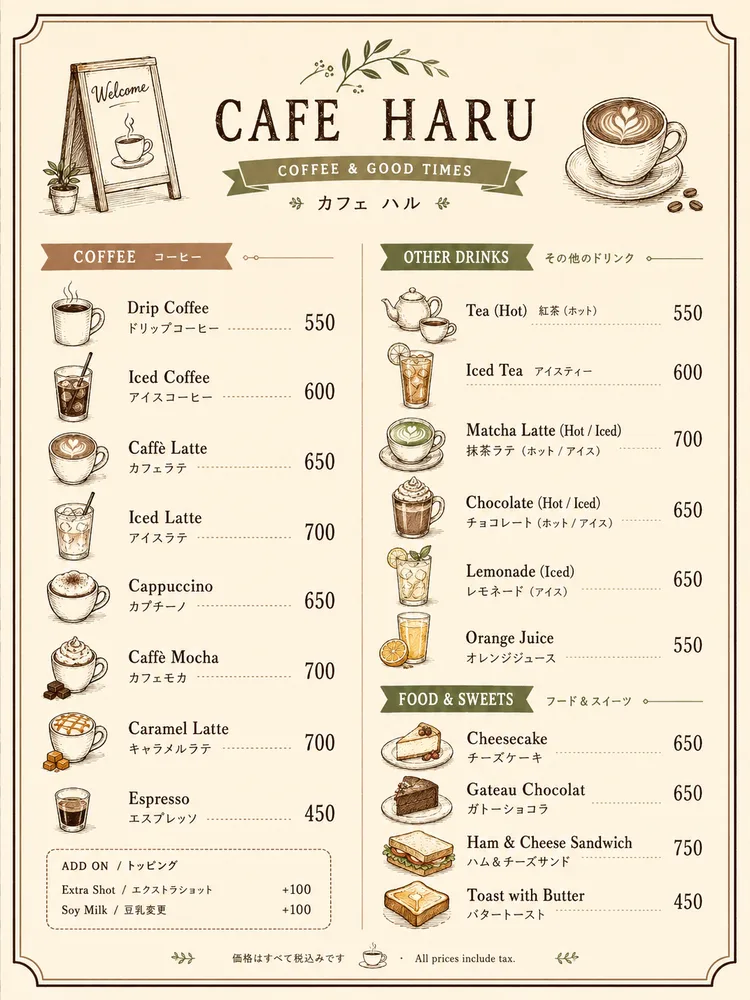
- Standout typography — dense, legible text, including non-Latin scripts
- Precise prompt following — accurate object placement and spatial relationships
- Reasoning before rendering — plans layout and verifies constraints first
- Optional image references — image-to-image and editing with up to 16 sources
- Resolution up to 4K at 1K, 2K, or 4K
- Wide aspect-ratio set, from
1:1and9:16to ultra-wide21:9, plusauto
Text Rendering & Typography
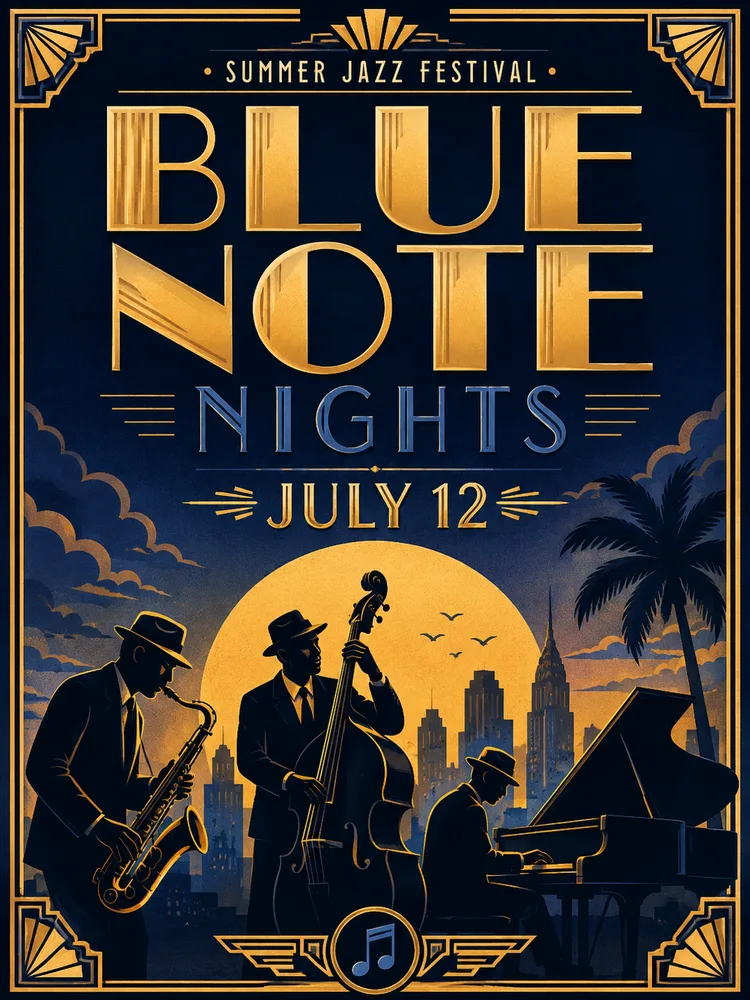
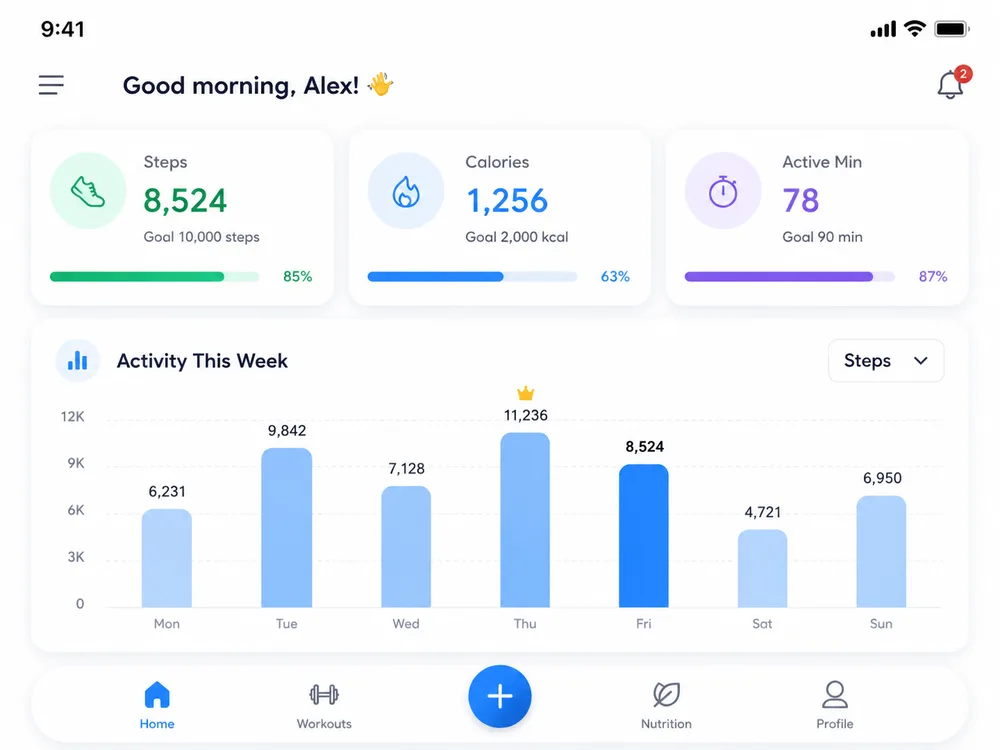
In-image text is historically where image models fail, and it is exactly where GPT Image 2 pulls ahead. It renders headlines, labels, captions, and short paragraphs cleanly, and it handles multilingual copy — Japanese, Korean, Chinese, Hindi, and Bengali among them — with coherent layout rather than garbled glyphs. That makes it a natural fit for posters, slide art, app mockups, and infographics where the words have to be right.
Independent leaderboard testing placed GPT Image 2 first across image categories, with reviewers singling out near-flawless multilingual text and precise instruction-following as the reasons it leads.
A practical note: very long blocks of text can still break apart after a few hundred characters, so keep the on-image copy you really care about short and punchy, and let the model handle layout around it.
Prompt Accuracy & Reasoning
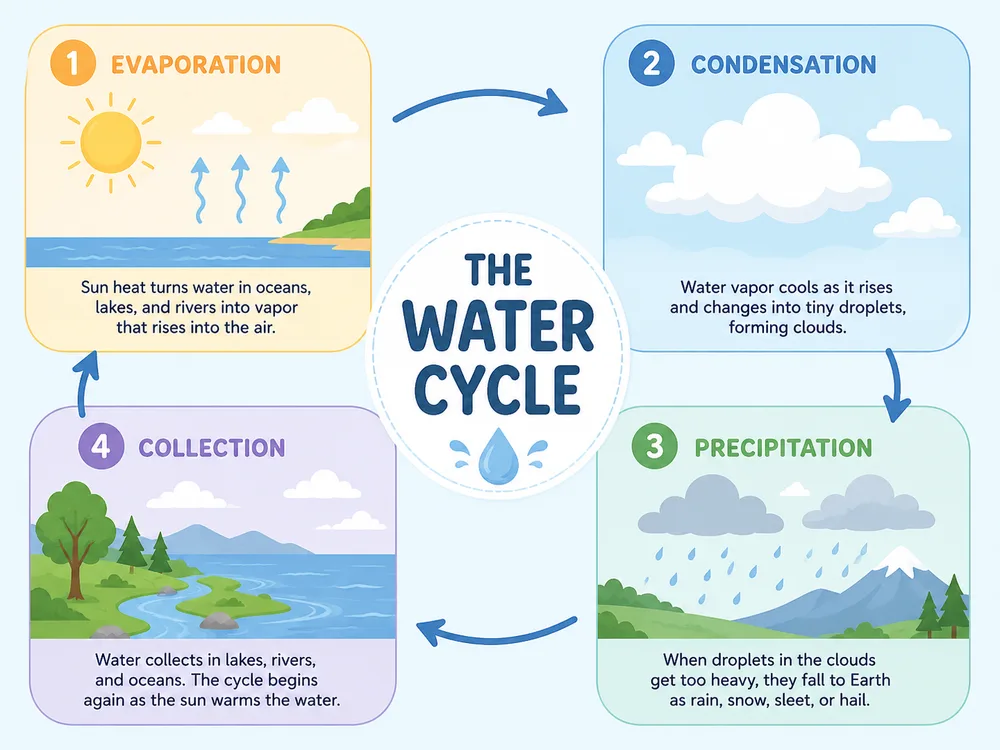
GPT Image 2 reads a prompt the way you mean it. Multi-clause descriptions — specific object counts, spatial relationships ("the logo top-left, three icons in a row below"), and exact wording for labels — translate into the picture with far less drift than older models. Because it plans before it paints, it is reliable for structured visuals like diagrams, maps, and dense compositions that used to require many re-rolls.
This matters most when you are designing rather than just generating: the closer the first result lands to the brief, the fewer credits and iterations you spend getting to a usable image.
Image-to-Image & Editing
Beyond text-to-image, GPT Image 2 takes optional references: upload one or more images — up to 16 — and it uses them to steer or edit the result. OpenAI positions the model as a precision editing tool, not just a generator, with a focus on making targeted changes while keeping the rest of the picture intact.
Typical reference-driven jobs:
- Restyle or re-light an existing photo while preserving the subject
- Blend several references into one cohesive scene
- Extend, refine, or correct part of an image instead of regenerating it
- Drop a product or element into a new layout for campaign variations
Resolution & Aspect Ratios
Pick the output that fits the channel:
| Setting | Options |
|---|---|
| Resolution | 1K, 2K, 4K |
| Aspect ratios | auto, 1:1, 3:2, 2:3, 4:3, 3:4, 5:4, 4:5, 16:9, 9:16, 2:1, 1:2, 21:9 |
| References | Optional, up to 16 images |
Reach for 2K or 4K on print, hero banners, and detail-heavy text layouts; stick with 1K for quick drafts and social where speed and cost matter more. Leave aspect ratio on auto when you want the model to choose, or pin an exact ratio when a channel demands it.
Who Is GPT Image 2 Best For
Marketing Teams
Posters, ad creative, and infographics where the headline, body copy, and layout all have to be legible and on-brand — with multilingual versions from one prompt.
Designers & Product Teams
App and UI mockups, slide art, and reference-guided edits that drop straight into a larger workflow, with prompt-accurate placement of labels and iconography.
Social Media Creators
On-brand posts with readable text overlays, in exactly the ratio each platform
wants — from square 1:1 to vertical 9:16.
Educators & Content Builders
Diagrams, maps, and annotated visuals that benefit from the model's planning step and its ability to render dense, accurate text.
GPT Image 2 vs Nano Banana 2 vs Seedream 5 Lite
| Dimension | GPT Image 2 | Nano Banana 2 | Seedream 5 Lite |
|---|---|---|---|
| Architecture | Reasoning-driven — plans before render | Strong world-knowledge model | Fast diffusion, no planning |
| Prompt adherence | Excellent | Excellent | Good |
| Text rendering | Best-in-class, multilingual | Strong | Fair |
| Max resolution | 4K | 4K | Standard |
| Editing & references | Yes — up to 16, precision edits | Yes — up to 14 | Yes (basic) |
| Speed | Moderate | Fast | Very fast |
| Starting price | From 10 credits (1K) | Similar tier | Lowest — budget pick |
Takeaway: pick GPT Image 2 when on-image text, multilingual copy, or exact instruction-following decide the result; reach for Nano Banana 2 when you want maximum detail and multi-subject consistency, or Seedream 5 Lite when you just need fast, cheap drafts.
Pros & Cons
Pros
- Best-in-class in-image typography, including non-Latin scripts
- Precise prompt following with reliable object placement
- Plans the composition before rendering, reducing re-rolls
- Optional image references and editing with up to 16 sources
- Up to 4K output across a broad set of aspect ratios
Cons
- Very long text blocks can still drift after a few hundred characters
- Photorealistic close-up faces and exact brand logos remain less reliable
- Style can vary across separate sessions, so lock references for a consistent set
- Higher resolutions cost more credits and take longer than 1K drafts
Why Create with GPT Image 2 on Dollify
On Dollify you can run GPT Image 2 alongside every other top model in one place — no juggling accounts or tools. Start free with credits and pay only as you create, on the web or via API. Write a prompt above to generate instantly, or browse the explore wall to see what's possible and remix any result in a click. Comparing options? Line GPT Image 2 up against Nano Banana 2 for detail and consistency, or Seedream 5 Lite for fast, budget drafts — and switch between them without leaving the page.


'%3e%3c/path%3e%3cpath%20d='M20.616%2010.835a14.147%2014.147%200%2001-4.45-3.001%2014.111%2014.111%200%2001-3.678-6.452.503.503%200%2000-.975%200%2014.134%2014.134%200%2001-3.679%206.452%2014.155%2014.155%200%2001-4.45%203.001c-.65.28-1.318.505-2.002.678a.502.502%200%20000%20.975c.684.172%201.35.397%202.002.677a14.147%2014.147%200%20014.45%203.001%2014.112%2014.112%200%20013.679%206.453.502.502%200%2000.975%200c.172-.685.397-1.351.677-2.003a14.145%2014.145%200%20013.001-4.45%2014.113%2014.113%200%20016.453-3.678.503.503%200%20000-.975%2013.245%2013.245%200%2001-2.003-.678z'%20fill='url(%23lobe-icons-gemini-1-_R_0_)'%3e%3c/path%3e%3cpath%20d='M20.616%2010.835a14.147%2014.147%200%2001-4.45-3.001%2014.111%2014.111%200%2001-3.678-6.452.503.503%200%2000-.975%200%2014.134%2014.134%200%2001-3.679%206.452%2014.155%2014.155%200%2001-4.45%203.001c-.65.28-1.318.505-2.002.678a.502.502%200%20000%20.975c.684.172%201.35.397%202.002.677a14.147%2014.147%200%20014.45%203.001%2014.112%2014.112%200%20013.679%206.453.502.502%200%2000.975%200c.172-.685.397-1.351.677-2.003a14.145%2014.145%200%20013.001-4.45%2014.113%2014.113%200%20016.453-3.678.503.503%200%20000-.975%2013.245%2013.245%200%2001-2.003-.678z'%20fill='url(%23lobe-icons-gemini-2-_R_0_)'%3e%3c/path%3e%3cdefs%3e%3clinearGradient%20gradientUnits='userSpaceOnUse'%20id='lobe-icons-gemini-0-_R_0_'%20x1='7'%20x2='11'%20y1='15.5'%20y2='12'%3e%3cstop%20stop-color='%2308B962'%3e%3c/stop%3e%3cstop%20offset='1'%20stop-color='%2308B962'%20stop-opacity='0'%3e%3c/stop%3e%3c/linearGradient%3e%3clinearGradient%20gradientUnits='userSpaceOnUse'%20id='lobe-icons-gemini-1-_R_0_'%20x1='8'%20x2='11.5'%20y1='5.5'%20y2='11'%3e%3cstop%20stop-color='%23F94543'%3e%3c/stop%3e%3cstop%20offset='1'%20stop-color='%23F94543'%20stop-opacity='0'%3e%3c/stop%3e%3c/linearGradient%3e%3clinearGradient%20gradientUnits='userSpaceOnUse'%20id='lobe-icons-gemini-2-_R_0_'%20x1='3.5'%20x2='17.5'%20y1='13.5'%20y2='12'%3e%3cstop%20stop-color='%23FABC12'%3e%3c/stop%3e%3cstop%20offset='.46'%20stop-color='%23FABC12'%20stop-opacity='0'%3e%3c/stop%3e%3c/linearGradient%3e%3c/defs%3e%3c/svg%3e)

'%20fill-rule='nonzero'%3e%3c/path%3e%3cdefs%3e%3clinearGradient%20id='lobe-icons-qwen-_R_0_'%20x1='0%25'%20x2='100%25'%20y1='0%25'%20y2='0%25'%3e%3cstop%20offset='0%25'%20stop-color='%236336E7'%20stop-opacity='.84'%3e%3c/stop%3e%3cstop%20offset='100%25'%20stop-color='%236F69F7'%20stop-opacity='.84'%3e%3c/stop%3e%3c/linearGradient%3e%3c/defs%3e%3c/svg%3e)